

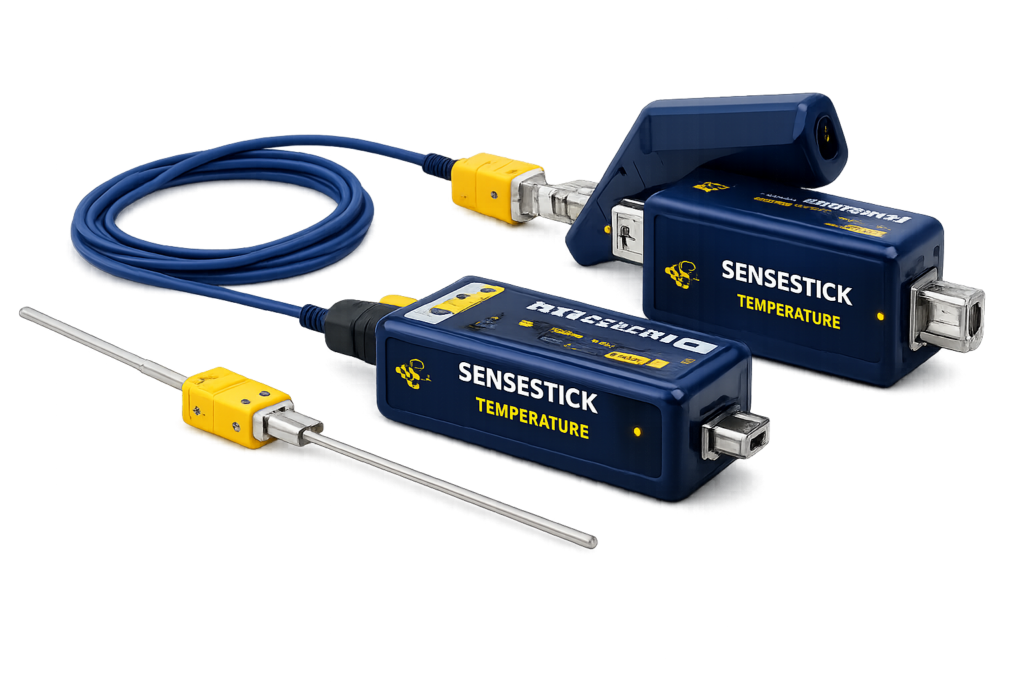
SENSESTICK Temperature
User Guide
Temperature Sensor TS-100 Series
This user guide is intended to help users begin collecting temperature measurements using Sense Streamer add-on.This document describes how to install, configure, and operate the USB Temperature Sensor TS-100 Series using the Sense Streamer Microsoft® Excel® add-on
The document provides step-by-step instructions for connecting the sensor to a computer and logging temperature data directly into Excel.
To download and install the Sense Streamer add-on, users need to refer to the provided documents.
Logging Temperature Data
Follow the steps below to begin logging temperature data:
1. Plug the temperature sensor into a USB port on a PC. If the USB port power is fine, the green indicator on the device turns on, showing that the device is powered.
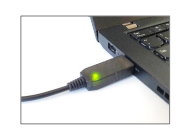
Figure 1: Temperature sensor plugged into USB port and powered on
2. Open Microsoft Excel, navigate to the Sense Streamer add-on tab, and select the appropriate connected
sensor from the available COM port list.
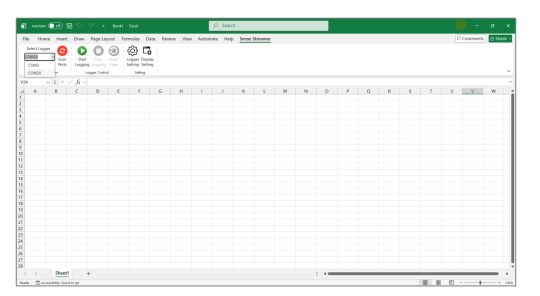
Figure 2: Sense Streamer add-on tab
3. If the right COM port connected to a sensor is selected, then press the Start Logging button to begin recording live data.
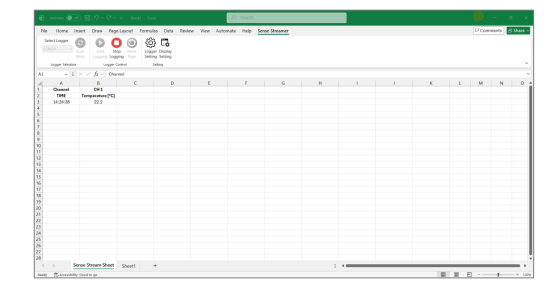
Figure 3: Live data from the temperature sensor
When logging data starts, the green indicator on the device begins blinking. Each blink corresponds to one sampled measurement. The blinking speed has relationship with the interval sample. The shorter the sample, the faster the indicator blinks
When the Start Logging button is pressed, the first column displays the timestamp belonging to its sampled value with the title TIME. The time is displayed in [HH:mm:ss] format.
The second column displays the measured temperature in Celsius unit by having the title of Temperature [℃].
4. To stop logging, press the Stop Logging button. When the device stops measuring, the green indicator also stops blinking and stays constantly on. The latest measured data stays on the sheet.
Legal Notice
SENSESTICK® is a registered trademark of Sensestick
Microsoft® Excel® and Windows® are the registered trademarks of Microsoft Corporation in the United States and/or other countries. All other trademarks and registered trademarks are the property of their respective owners.
Pilot Product Notice
This product is currently in the pilot stage and is provided for evaluation and testing purposes only. It may contain errors, inaccuracies, or incomplete features, and its performance is not guaranteed. We welcome your feedback to help us improve.
Disclaimer Notice
Please be advised that the product details and specifications are subject to change without prior notice. The manufacturer reserves the right to modify, enhance, or update the product, including its features, functionalities, and performance characteristics. Users are strongly urged to check for the latest information and updates from the official sources.
It is essential for users to follow the recommended safety precautions, operating instructions, and maintenance guidelines outlined in the product documentation. Any misuse,
misinterpretation, or deviation from the recommended procedures may result in unintended consequences.
The information provided here does not constitute professional advice. Users should seek professional assistance or consult the manufacturer directly for specific queries, technical
support, or product-related concerns.
By using the product, users acknowledge that they have read and understood this disclaimer notice. The manufacturer, distributor, and related parties are not liable for any direct or
indirect damage, losses, or inconveniences arising from the use or misuse of the product based on the information provided herein.
Ready for Open - Source Measurement?
Use SENSESTICK with LibreOffice Calc for a Completely Open and Flexible Measurement Workflow.